

Start a mock exam
1
Pick a subject
In the left menu, click Oral Board, choose a subject, then click Begin Session.
2
Choose your first case format
Select Short Form or Long Form to choose which format to start with, or select Random to let Clarilux choose for you. Your second case will use the other format.Click Begin Session to continue.
3
Choose how to answer
Pick Avatar, Voice, or Text, then click Continue.
4
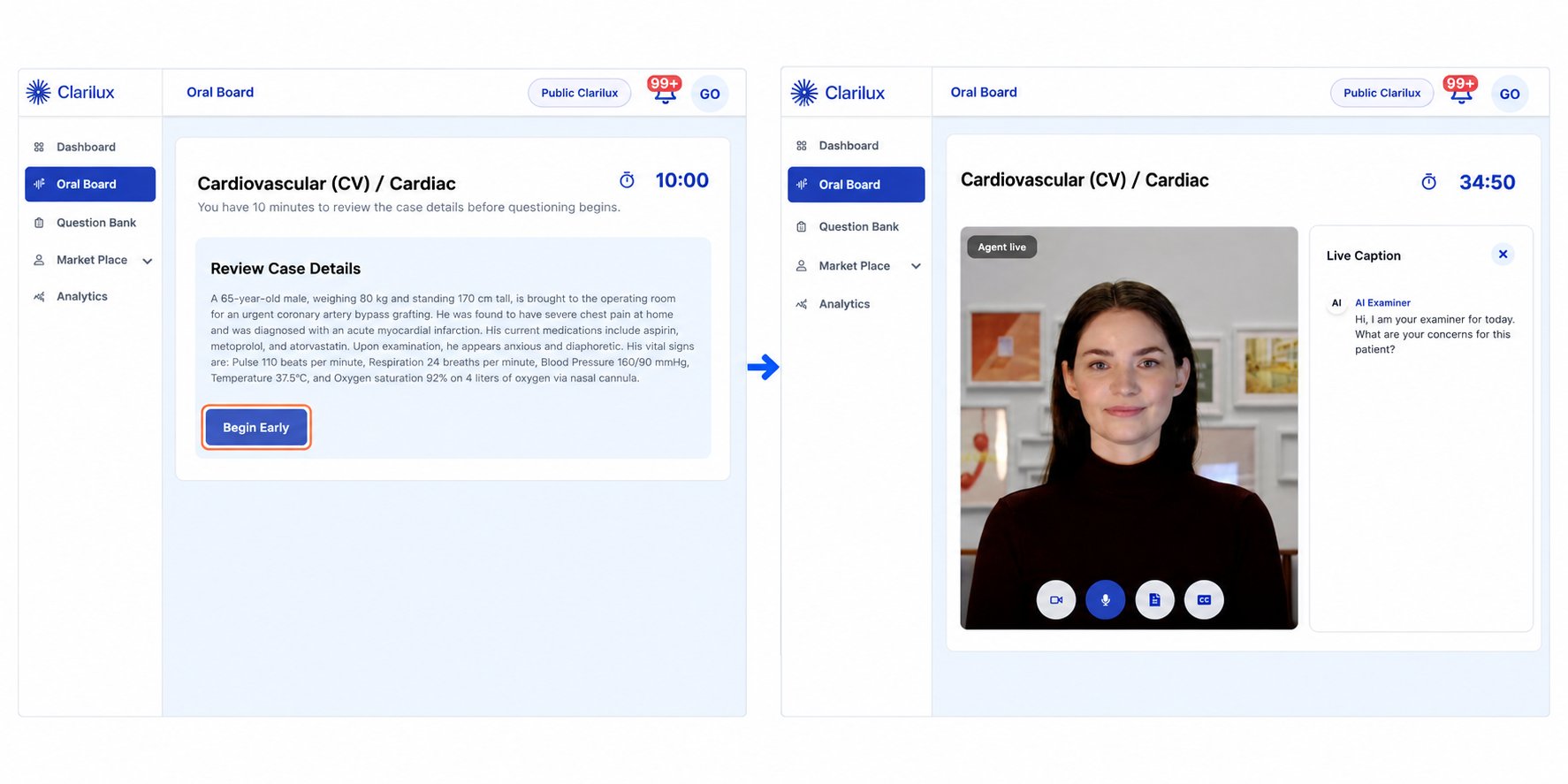
Use the study period
Read the case and make notes. The case starts after 10 minutes, or click Begin Early.
5
Answer the examiner
Each case runs for 35 minutes, with grab-bag questions in the last 5 minutes.
Between the cases
Click Keep Going to start the second case, or Continue Later to stop and view your score for the first case. You can complete the second case later.After the exam
You’ll see a score for each case, with feedback on every rubric. See: Read your score and feedbackRelated
Updated October 30, 2026Still need help? Chat with Claribot or contact support.